Window Mode
Window mode is GEM’s own: windows overlap on the desktop, and you move them where you like. It’s the default.
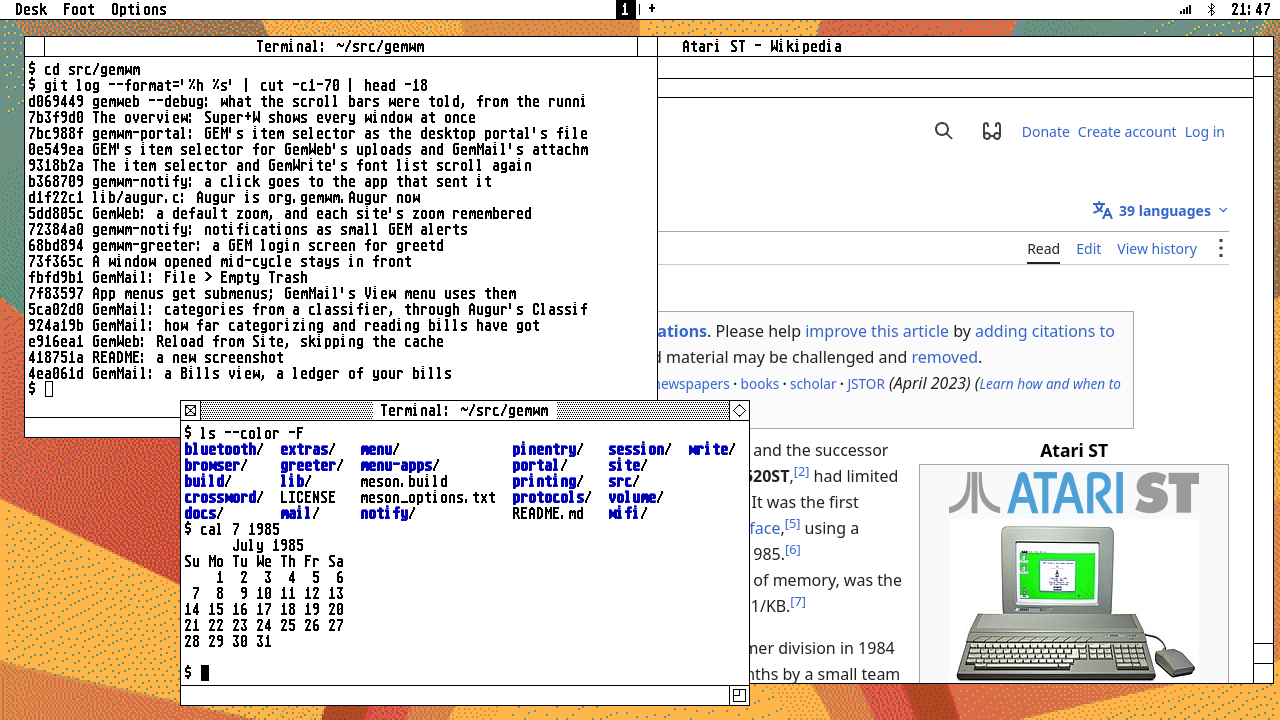
Moving and sizing
- Drag the title bar to move a window: an outline follows the pointer and the window moves on release, as in GEM.
- The sizer, at the bottom right, resizes the same way.
- The closer, at the top left, closes the window; the fuller, at the top right, makes it the size of the screen, and back (Super+Z).
- Clicking a background window only brings it to the top.
Cycling
Super+Tab (or Alt+Tab) goes to the next window, most recently used first, and Shift goes back. Keep Super held and press Tab again to go further; the window you’re on is shown with the focus border, and let go to stay there.
The overview
Super+W shows every window on the workspace at once, shrunk into a grid over the desktop, each in its frame with what it shows now (a video plays on), as the Mac’s Mission Control does.
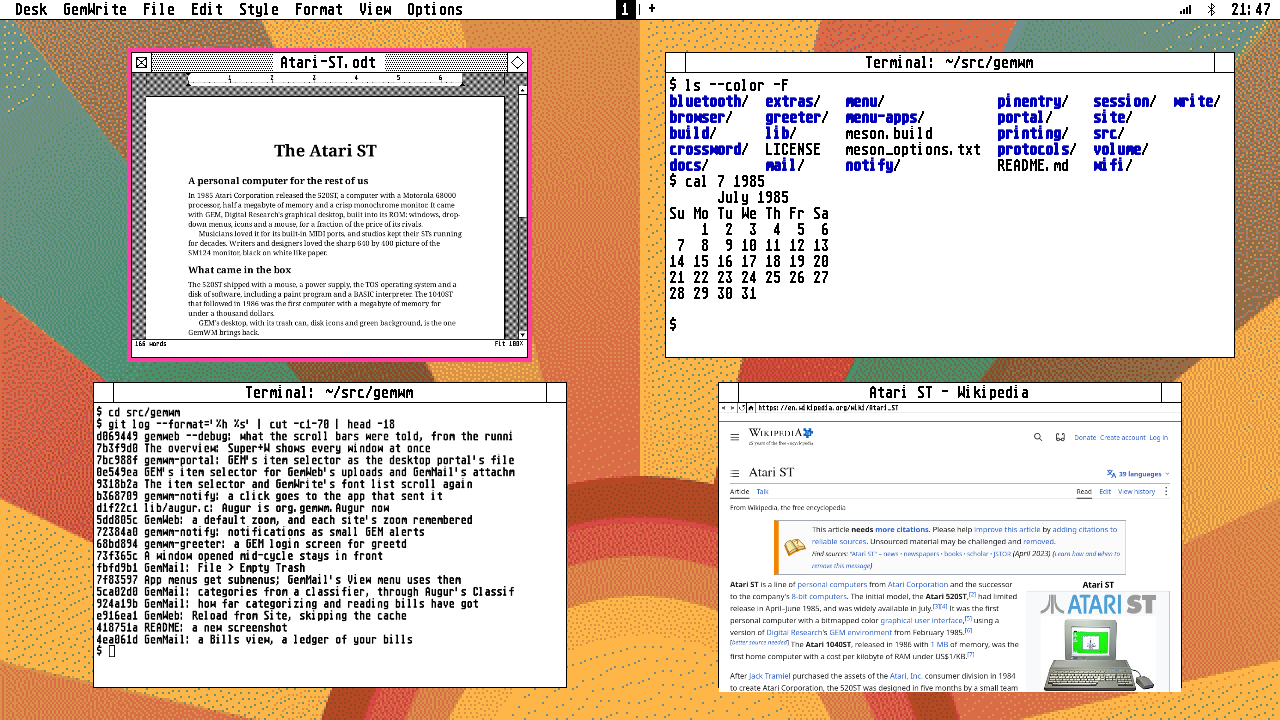
The selected one is drawn as the active window: Super+Tab (Shift: back), the arrow keys or the pointer move the selection; Return or a click brings it forward, and Escape, Super+W again or a click on the desktop leaves everything as it was.
Fullscreen
Fullscreen (a video, a browser’s F11, a game, or Super+F) covers the whole screen, menu bar and all, without a frame. Focusing another window on that workspace brings it back out, into its old place.
Scroll bars
GEM’s scroll bars are real ones in GemWM, for applications that drive them, as GemWeb does: drag the slider, click the arrows to step, or click the track to page. As in GEM, windows whose applications don’t use them have no scroll bars, just a thin border and the sizer. Applications add them with a Wayland protocol: see for app developers.
Bringing windows forward
An application can bring its own window forward (xdg-activation), as GemWeb does when it’s asked to open a link: the window is focused, on its workspace.