GemView
A PDF viewer: pages on GEM's grey, sharp at any zoom, with find, links, printing, and reloading when the file changes.
gemview
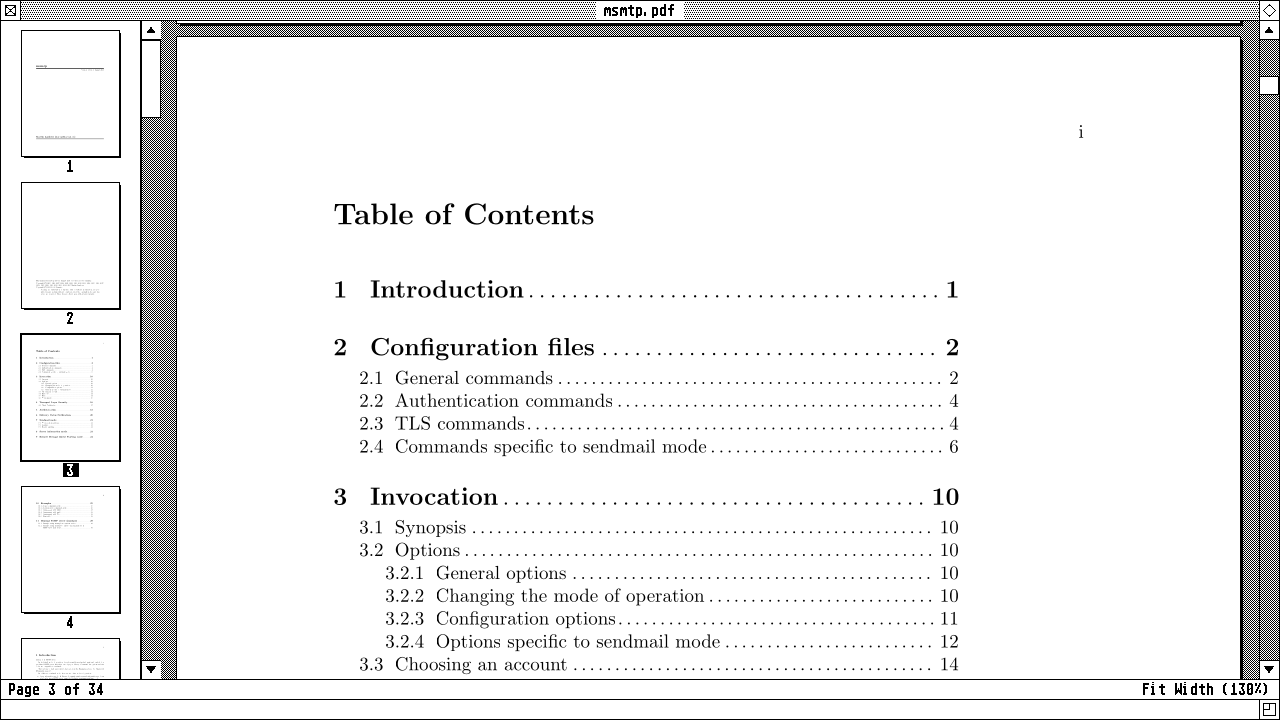
GemView (Desk > Office) reads PDFs. The pages stand on GEM’s grey, one under another, each outlined with a shadow, beside GEM’s scroll bars, over an info line with the page you’re on and the zoom. Poppler, the engine Evince uses, reads and draws them, and each page is drawn at the screen’s real resolution, so text is sharp at any zoom.
gemview                 # an empty window: File > Open... (or Open Recent)
gemview FILE.pdf...     # each in a window of its own
Its menus
- File: Open… (^O), Open Recent (the last five opened, and Clear Menu), Print… (^P, GemWM’s print dialog), Close.
- Edit: Find… (^F) opens a line over the info line. Every match on the pages showing is boxed and the current one inverted; Return and Shift+Return (or ^G and ^Shift+G) go to the next and previous, and Escape closes it.
- View: Thumbnails (F9) shows the pages down the left, small, the one you’re reading framed with its number inverted, following along as you read; click one to go to it. Full Screen (F11, or Super+F) shows the pages alone, without the scroll bars, info line or thumbnails; Escape or F11 again comes back. Two Pages shows facing pages side by side, meeting at the spine, as a magazine opens; with Cover Alone (on unless you turn it off), page 1 sits by itself on the right, so the spreads pair as they would in print. Next and Previous go a spread at a time. Then Fit Width (the default), Fit Page, Actual Size (^0), and Zoom In and Out (^+ and ^-, or Ctrl and the wheel).
- Go: the previous and next page (Page Up, Page Down, Space), and the first and last (Home, End).
And
- Links work: to the web, in your browser; within the document, there.
- A file that changes on disk (a LaTeX run, say) is read again, where you were.
- Each file opens where you left it, at the same page and zoom, one page or two.
To make it the PDF viewer for everything else, GemMail’s attachments and GemWeb’s downloads included:
xdg-mime default org.gemwm.GemView.desktop application/pdf
What it needs
poppler-glib: pacman -S poppler-glib. Poppler is GPL, so a built gemview
is too; GemWM’s own code stays BSD.